Know your AI bill before the invoice does.
Guardation reads your OpenAI and Anthropic usage every hour, shows what each API key and model costs, and emails you the moment spend crosses the budget you set.
Free during beta. Works with OpenAI and Anthropic today; AWS and Google Cloud are next.
Set up in five minutes. Then forget about it until it matters.
-
1
Paste an admin key
Create an Admin key in OpenAI or the Claude Console and paste it in. We check it works before saving and store it encrypted.
-
2
We sync every hour
Usage and billed costs are pulled hourly, back to the start date you choose, and split by API key, workspace and model.
-
3
Hear about it first
Set a daily or monthly budget for everything or a single connector. Cross it and your team gets an email — once, not every hour.
Every key, every model, one place.
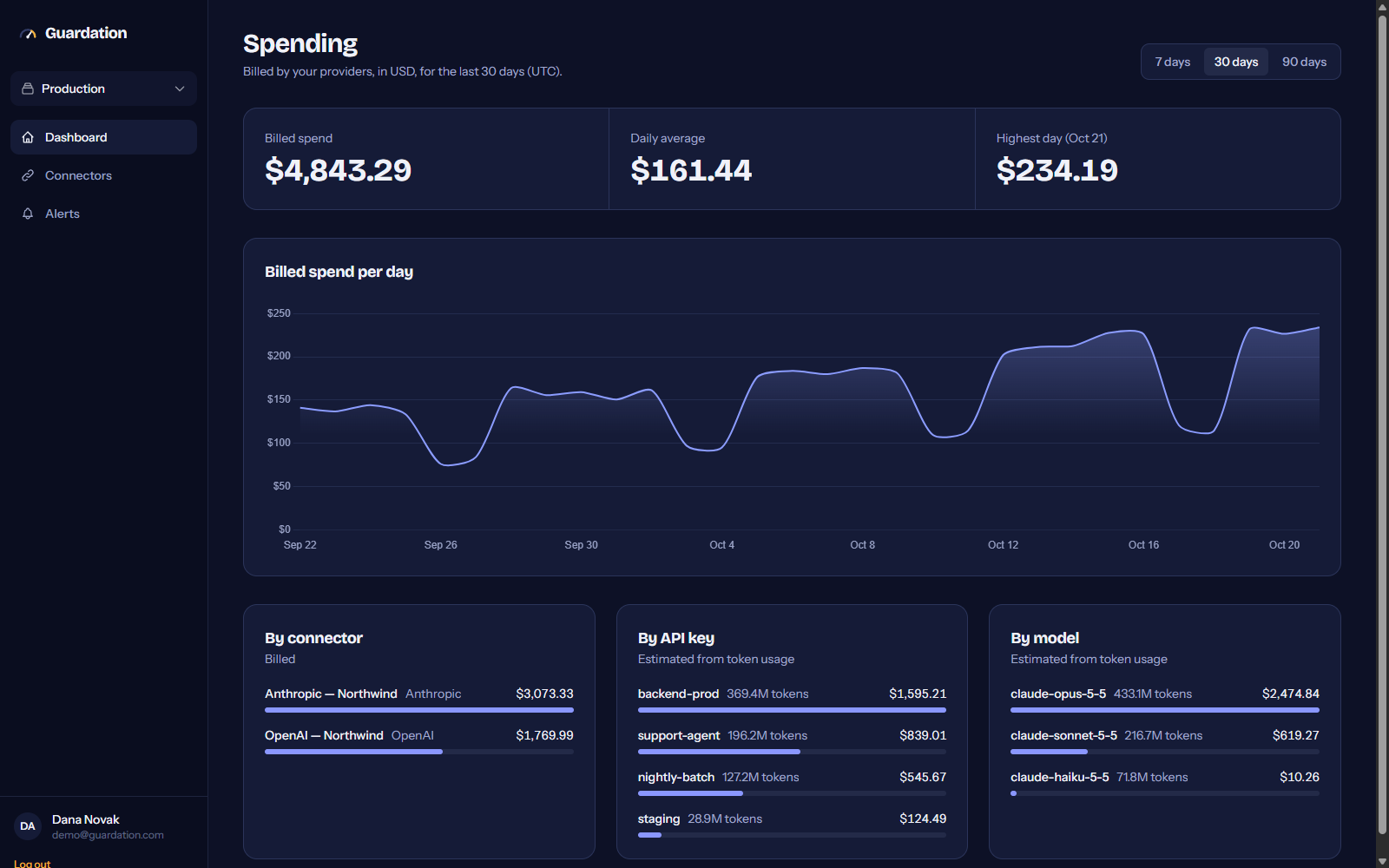
The dashboard puts OpenAI and Anthropic spend side by side and answers the question finance always asks: who spent it?
- Billed totals
- Straight from each provider’s cost report, per project or workspace.
- Spend per API key and model
- Estimated from token usage and the published price list, including batch, caching and fast-mode rates. Always labelled as an estimate.
- History from any date
- Import from today or backfill months of past usage when you connect.
Supported providers
OpenAI
Live
Billed organization costs by project and line item.
Anthropic
Live
Billed costs per workspace, plus estimated spend per API key and model.
Amazon Web Services
Coming soon
Cost Explorer and Bedrock spend per IAM principal.
Google Cloud
Coming soon
Billing export, including Vertex AI and Gemini.
Free while we’re in beta.
No card, no seat limits. If paid plans arrive, every account hears about it by email well before anything changes.
Create free account- Unlimited OpenAI and Anthropic connectors
- Hourly sync with history from any start date
- Spend per API key, workspace and model
- Daily and monthly email budget alerts
- Workspaces and tags to group your keys
Questions
Which keys do I need?
An Admin key from OpenAI (Organization settings → Admin keys) or an Admin API key from the Claude Console (Settings → Admin keys). Regular API keys can’t read usage or cost data. Anthropic requires an organization account, which you can set up for free.
What does Guardation do with my admin key?
It only calls the usage, cost, API key list and workspace list endpoints. The key is encrypted before it’s stored and is never shown again. Admin keys can do more than read, so you can revoke the key in your provider’s console at any time and Guardation stops syncing immediately.
How fresh is the data?
Guardation syncs every hour. Providers publish usage within minutes, but billed amounts can take several hours to settle and are sometimes revised for a few days, so recent days update on every sync.
How accurate is spend per API key?
Billed totals come straight from each provider’s cost report. Anthropic doesn’t bill per key, so per-key and per-model figures are estimated from token counts and the published price list, including batch, cache and fast-mode rates. Estimates are always labelled and never added to billed totals.
Where is my data stored?
On servers in the European Union (Czech Republic). Guardation stores usage and cost figures, never your prompts or model outputs — the provider APIs don’t expose them.
Is it really free?
Yes, while Guardation is in beta. If paid plans are introduced, we’ll email every account well before anything changes.